Project Intelligence / List

Put your project knowledge to work.

Combine the freedom of a spreadsheet with OPUS Project Intelligence. Ask the agent to turn scattered project information into sourced comparisons, working plans and dashboards you can edit and share.

Book a demo
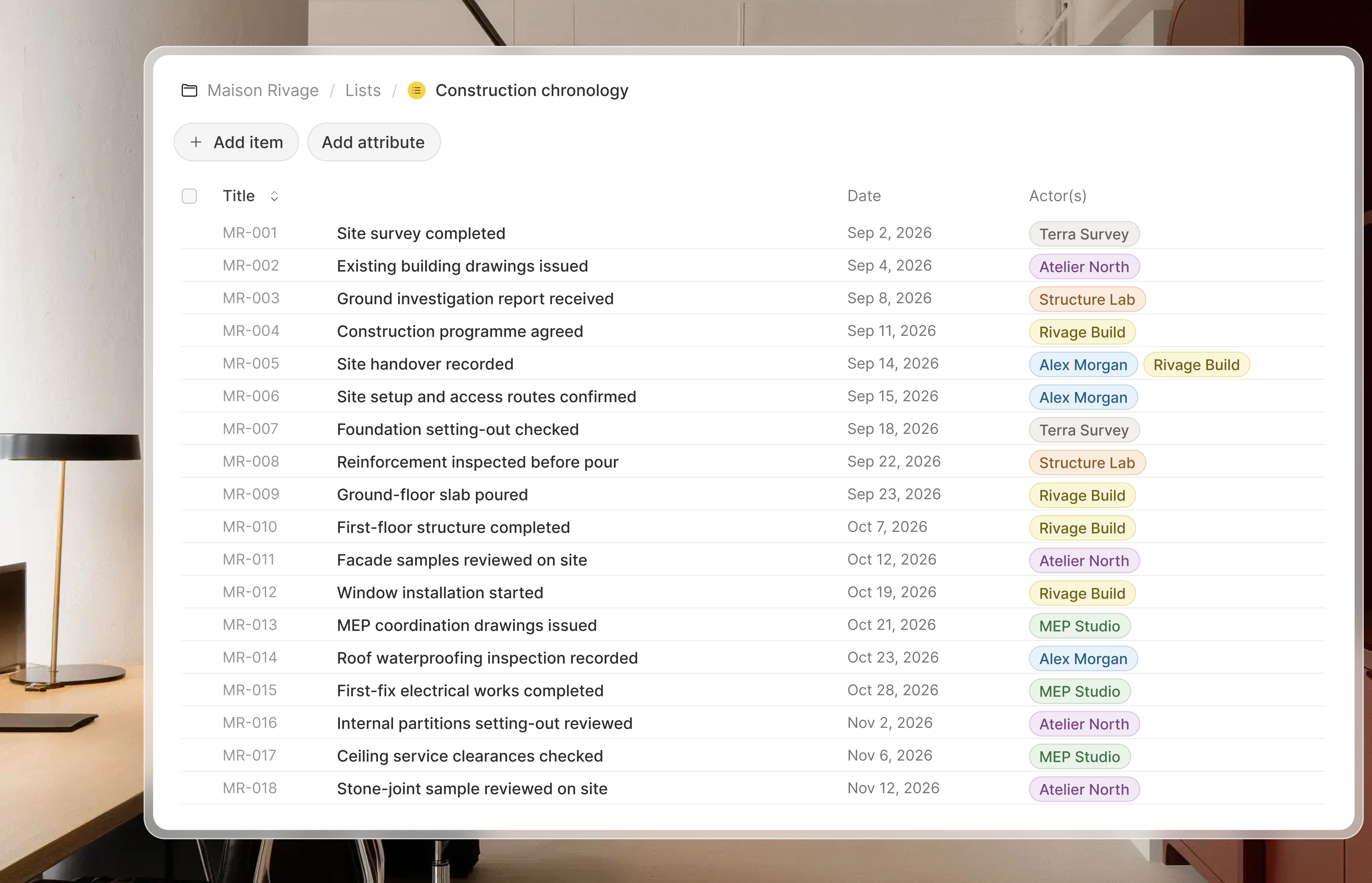
Maison Rivage construction chronology in OPUS List, with 18 events, their dates and associated project participants.

From project knowledge to working lists

List combines the freedom of a spreadsheet with the knowledge of your project. The OPUS agent brings scattered information into sourced lists you can edit, analyse and share, from a supplier comparison to a plan for your next project phase.

Get to the analysis. Skip the compilation.

Project knowledge, organised around your questions

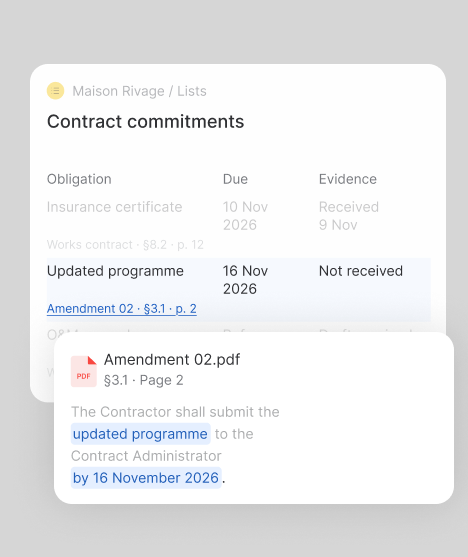
Ask the OPUS agent to compare proposals, extract requirements or map outstanding decisions. It draws on the information available in OPUS, including full document contents and the decisions, dates and stakeholders identified when files are uploaded. The result is a structured list with analysis tailored to your project. A dedicated source column lets you open the supporting record and, for documents, the precise extract behind the information.
Build it with the agent. Make it your own.

Spreadsheet freedom, from the first draft onwards.

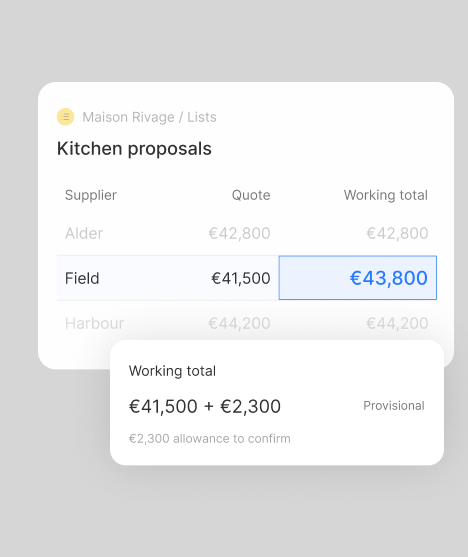
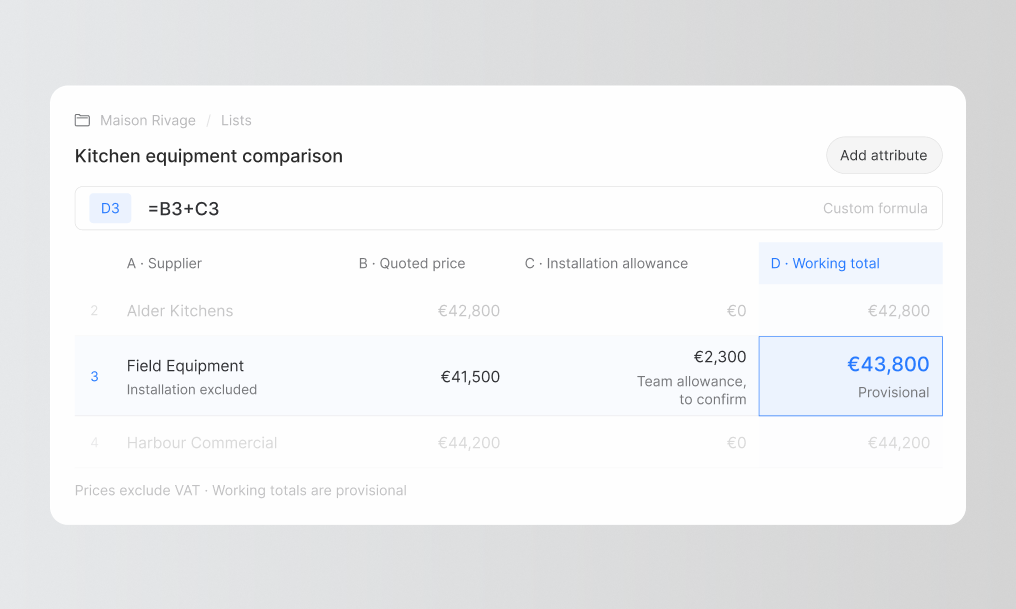
Keep working directly in the list after the agent generates it. Edit cells, define custom columns, write formulas, sort and filter the results. Import an existing Excel file or export your work to Excel. Shape the structure around your methods, whether you are comparing suppliers or assigning the next phase of work.

Keep the next decision in view.

Connected information and monitoring you activate.

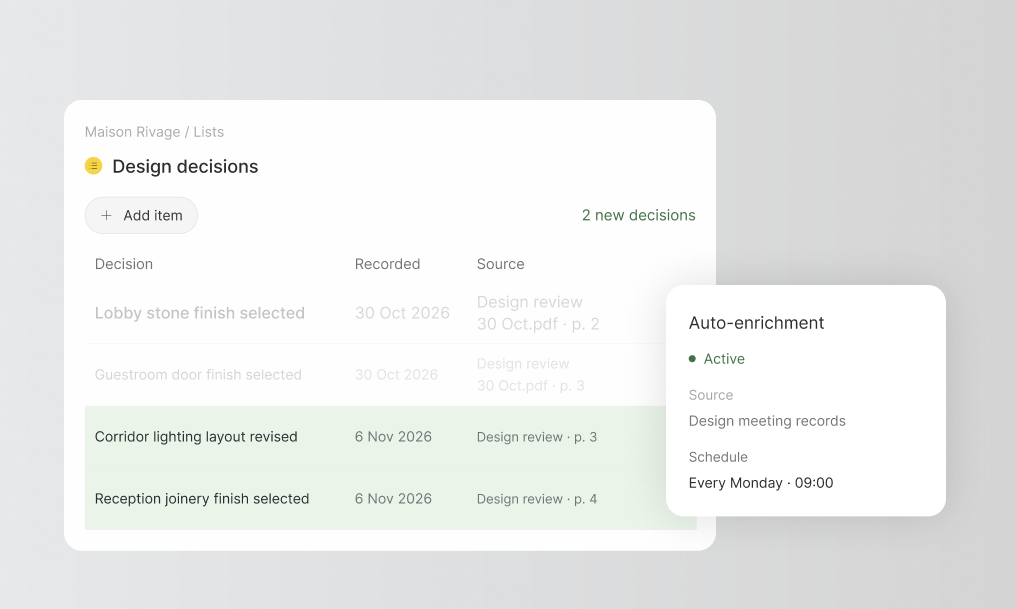
Ask the agent to connect a list to updated information or enrich it periodically. It can write functions and populate cells. A dedicated action lets you configure and activate automatic enrichment. For a design decision register, it enables you to add rows as new decisions are recorded.

Turn details into a plan or dashboard.

Choose the view that helps you act faster.

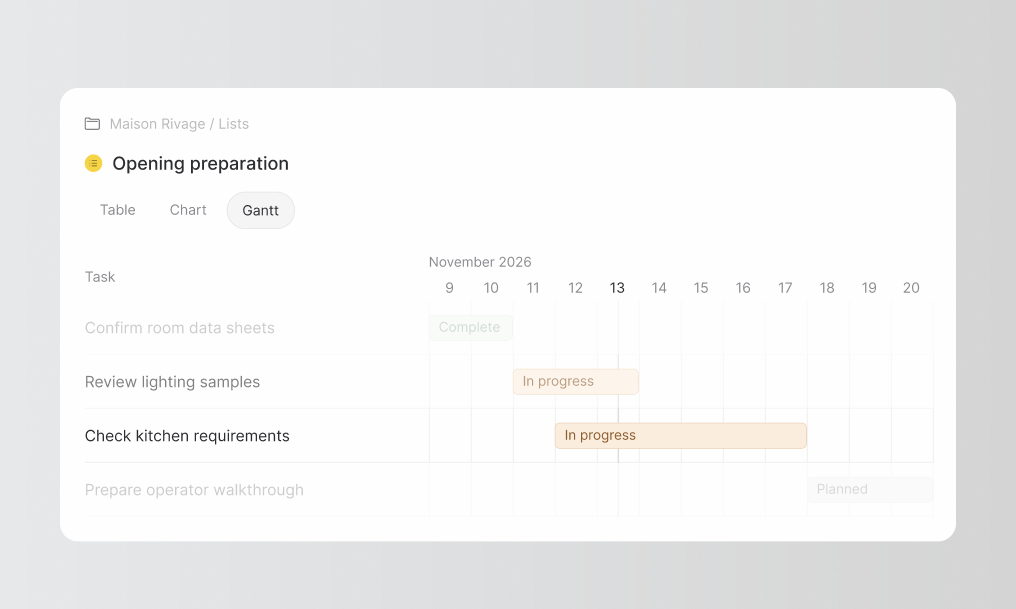
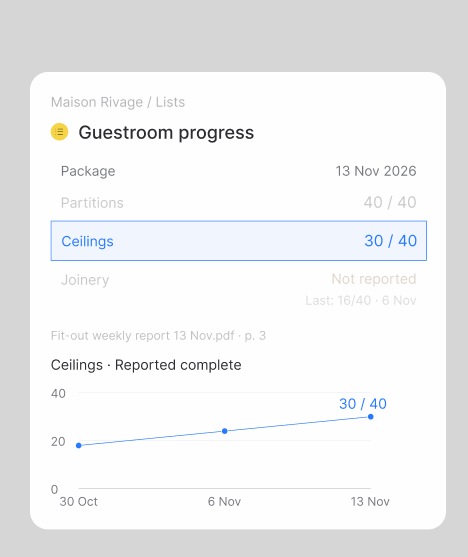
Start with a list to examine the information. Switch to a chart to compare positions, or use the Gantt view to relate dates to the work ahead. Build a readiness dashboard, compare proposals or organise a delivery plan from the structured information. Give your team a view they can use to decide faster and move forward.

Illustrative project

Give the equipment decision a comparison you can work with.

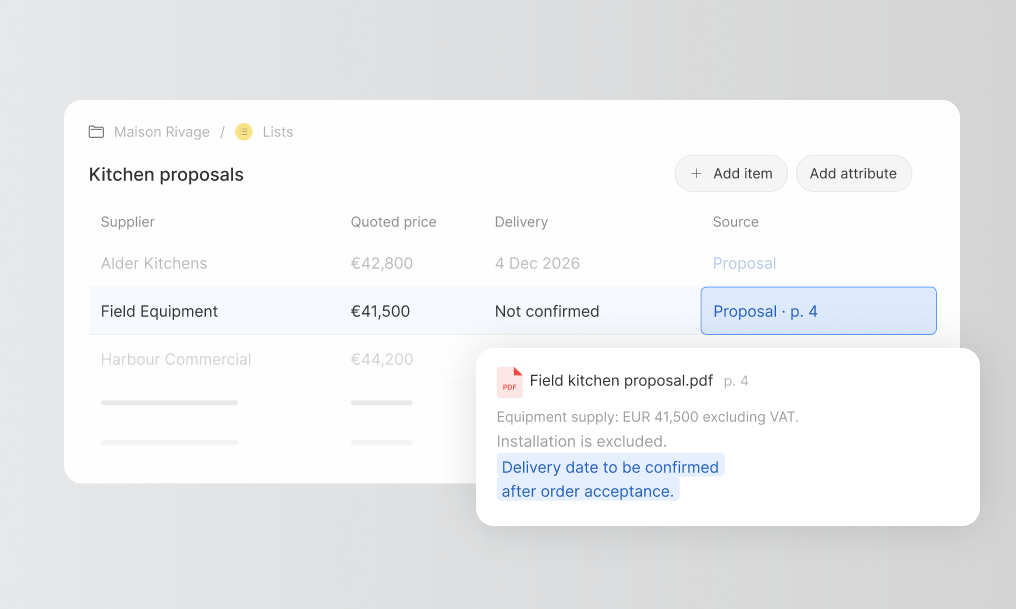
Illustrative project: Maison Rivage. The team needs to compare kitchen equipment proposals and see which requirements remain unconfirmed.

Bring the proposals into one list

Ask the Agent to extract the models, prices, exclusions and delivery commitments from the supplier proposals. Keep a source for each finding.

Compare against the requirements

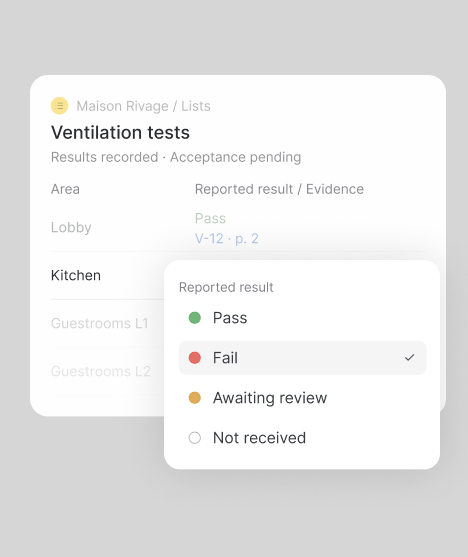
Organise the operational criteria beside each proposal. Make missing delivery dates and suitability information explicit instead of treating them as confirmed.

Shape the comparison with your team

Edit the cells, add review columns and filter the unresolved points. Record the information confirmed by the operator and project manager.

Use the view that supports the decision

Review the detailed table or turn the structured information into a chart. Share the comparison and the remaining questions with the team.

Explore the suite of tools

Keep the same project context, from the first investigation to the finished deliverable.

Frequently asked questions

List can start from a question about the project rather than a blank table. Ask Agent to compare proposals, extract requirements or organise outstanding decisions from available records. You then work directly in the result with editable cells, custom columns, formulas, sorting and filtering.

What does your project need to make clear?

Turn its information into a comparison, a working plan or a living register. Build it with the OPUS agent, then make it your own.

Your projects. Your questions. Our team.