Use Cases
Create an investor-focused construction financial report using OPUS Project Intelligence
Context
This use case shows you how to use OPUS Project Intelligence to trace financial changes across project records, cross-check discrepancies and identify missing invoices, and prepare an investor-focused construction financial report.
The key is to address investors’ concerns through analysis: What has changed since the last report? Which orders have been approved? Which are still pending? These are some of the questions the report needs to answer. OPUS Project Intelligence helps you draft the financial report using your project data for the period you want to cover. You can then flag the items your team needs to review before sharing it.
What goes into creating a project financial report?
An investor-focused construction financial report should address the investor’s individual concerns and flag what needs their attention. The first step is to define what you want the document to achieve so you know what to include. This guides the OPUS Agent on where to look and what to search for before building the report. Here are some areas an investor may want to see covered to support faster decision-making:
- Cross-analyze changes in quotes and orders: Clearly understand what suppliers quoted and what the team ordered. Review new quotes and purchase orders to see where a supplier has raised a price, which item changed, how the updated price compares with the previously approved quote and whether the team has already placed the order.
- Payment status: Understand what has been invoiced and paid during the period, access the related invoices, track payments processed and see the outstanding balance as of the reporting date.
- Highlight blockers and pending approvals: Make it easy for the investor to see which financial decisions await their approval, separating pending approvals from those already overdue. For each overdue item, identify the amount, the decision-maker and why the outstanding decision is causing a blocker, so the investor has the information they need to act.
- Compare spending with progress on site: For each work item, compare what has actually been completed with the amounts invoiced and paid. Add depth by flagging any gaps and explaining their causes where the project records support it.
- Project exposure: Understand the project’s overall financial exposure: how much has been committed, how much of that amount has been paid and which potential costs remain. Compare the forecast final project cost with the approved budget and track how the gap has evolved across reporting periods.
Draft the report using OPUS Editor
Once you’ve defined what to include in the report, ask the OPUS Agent to draft it. If you’ve already created a reporting Skill, tell the Agent which one to use. It will apply the instructions you previously saved to produce the outcome you want.
If you haven’t created a Skill, you could ask the Agent:
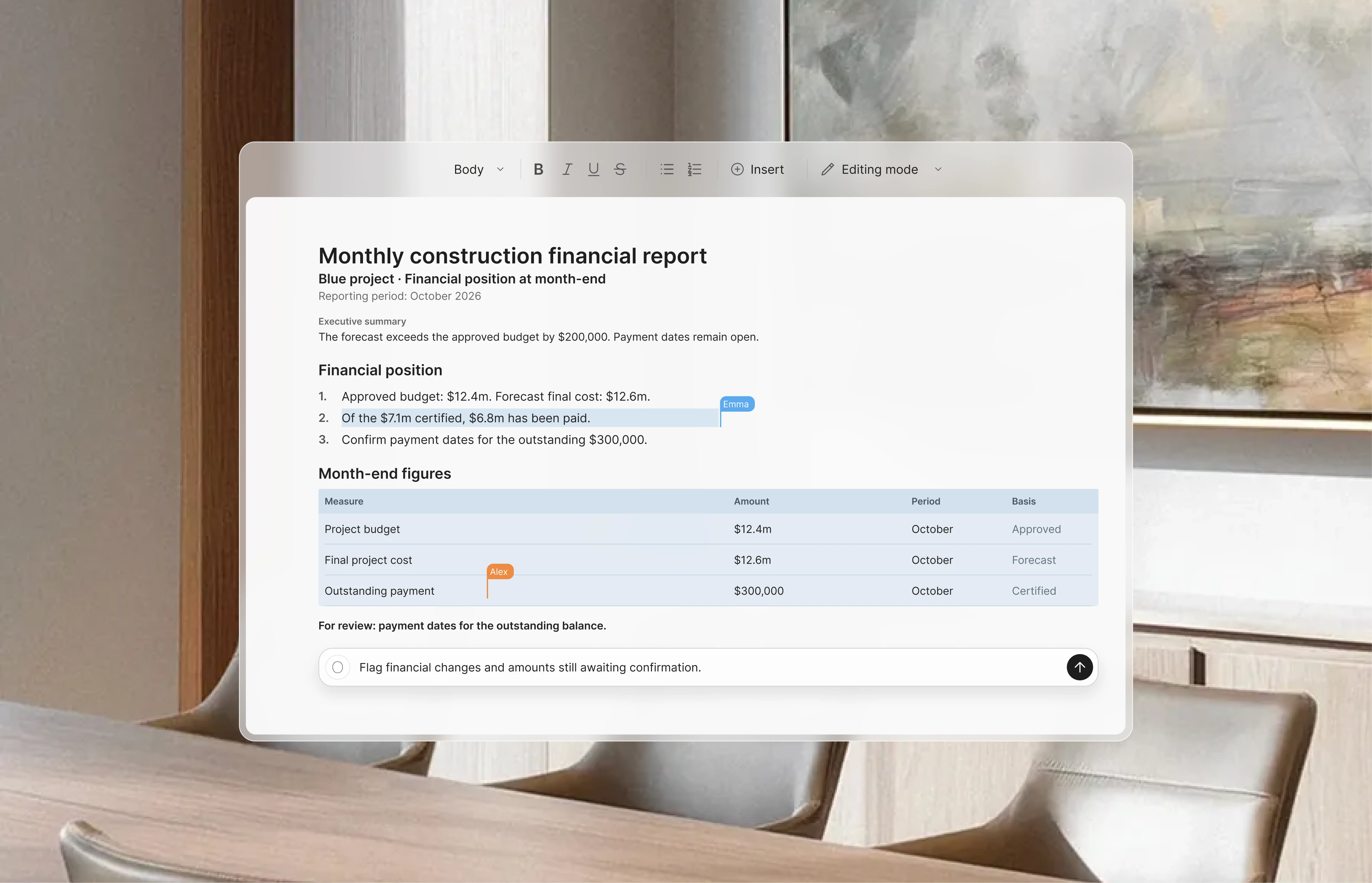
Draft the January financial report for our investor in Editor. Highlight financial changes since the last report we sent. Separate approved amounts from changes still under discussion, and flag anything awaiting our investor’s decision. Mark conflicting or incomplete information for me to review.
 Editor

From input to outcome: How the Agent finds, flags and analyzes financial data
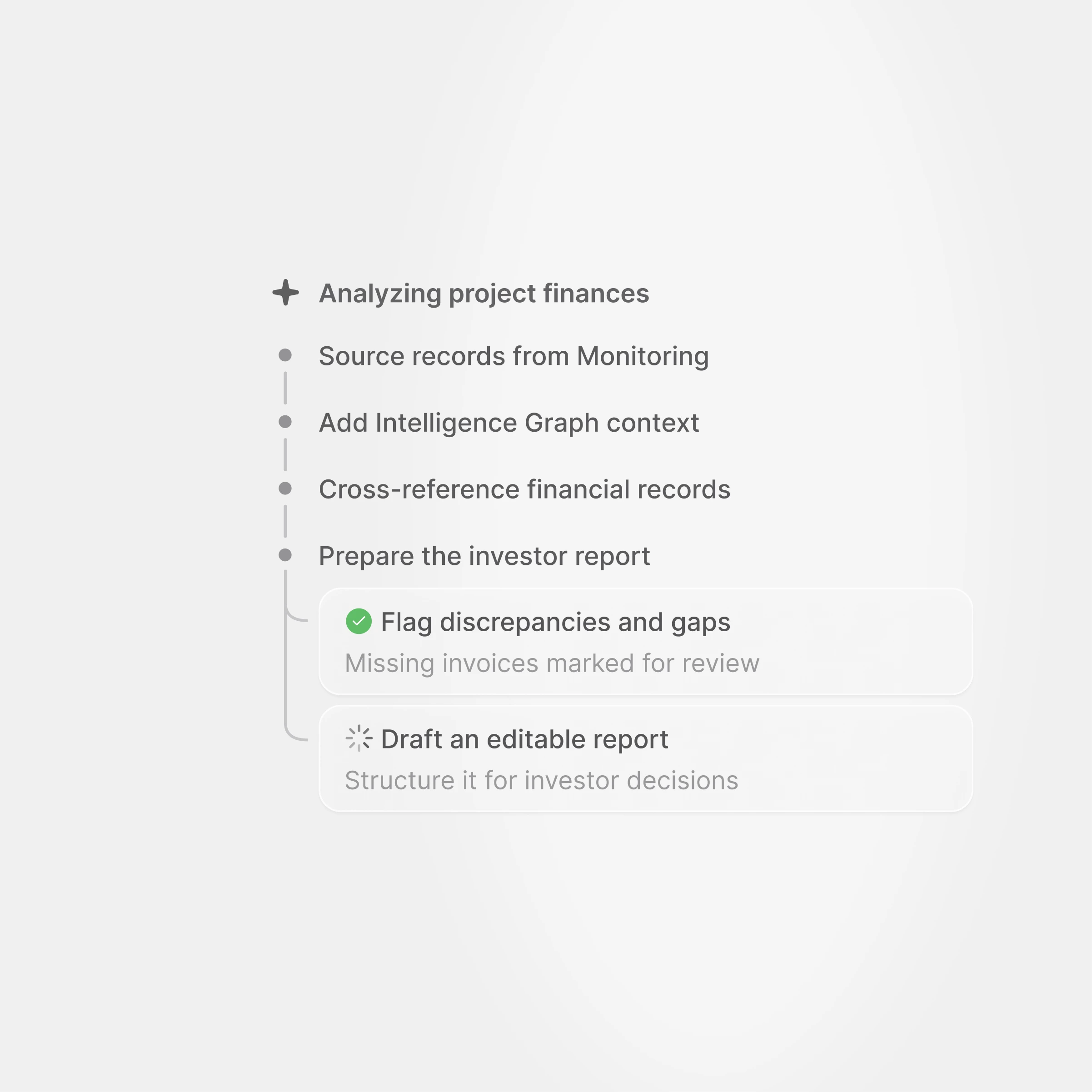
Once you submit your request, the Agent identifies the key financial data it needs to answer it. The first phase is to source relevant data from your project knowledge. This begins in Monitoring, the OPUS procurement module, where most financial data is stored. The OPUS Agent analyzes contracts, quotes, purchase orders and invoices updated by stakeholders during the reporting period. Since some key information may have been stored or reviewed elsewhere, the Agent then searches the rest of the project’s financial records to gather the relevant details.
Once the initial financial data has been gathered, the second sourcing phase builds a fuller picture. The Agent uses the OPUS Intelligence Graph to find financial details in other project materials and put the data in context. For example, if your team discussed a potential cost increase in meeting minutes, the Agent will pick it up and add it to the context for your request, helping ensure that relevant information is not overlooked.
The next step is to cross-reference the data. Reliable information is essential to making the right decisions, but project records can sometimes conflict. The Agent flags these discrepancies for review and looks for gaps your team needs to fill. Suppose your contractor usually sends an invoice on the same day each month, but the last two expected invoices are missing from the project records. They may simply have forgotten to share them. The OPUS Agent flags this gap in the report so your team can add the missing information needed to complete it.
The final phase is to draft the report. The Agent brings together the relevant data it has analyzed and cross-referenced to produce the outcome you requested. It also determines the structure best suited to what you want to achieve. This is called intent detection: identifying the intended goal to deliver the most useful result. For an investor-focused construction financial report, the Agent creates an editable draft that your team and stakeholders can collaborate on.
Customize the draft for the person you’re sending it to
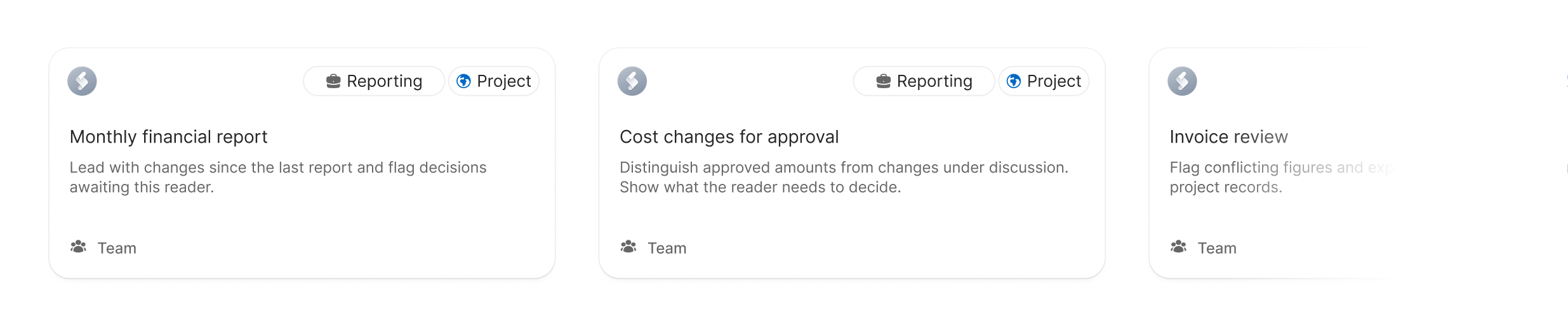
Once the report is drafted, let the Agent tailor it to the person you’re sending it to. Every stakeholder has different needs, especially investors, so make the report specific to its reader. With OPUS Project Intelligence, you can center the report on that individual’s priorities. From cost change approvals to pending actions, frame the information from their point of view to bring the relevant details forward and support faster decision-making.
Tell the OPUS Agent who the report is for, and it will rephrase the content and reorder the ideas to address that investor’s individual priorities. If you regularly prepare reports for the same person, save their preferences in an OPUS Skill. This gives the Agent reusable instructions on what to include and how to structure the information in your next report.
Adapt the report format to match your structure and branding
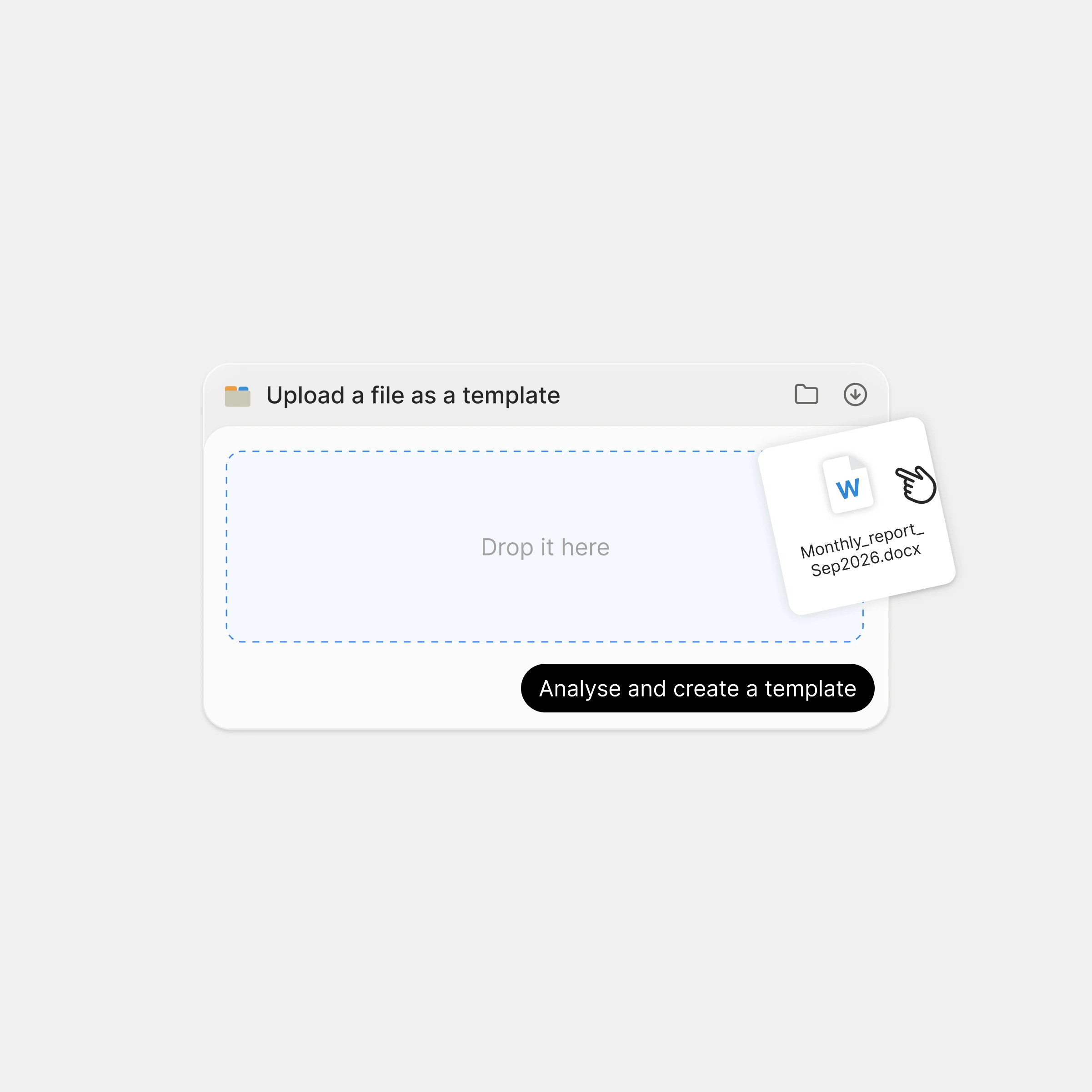
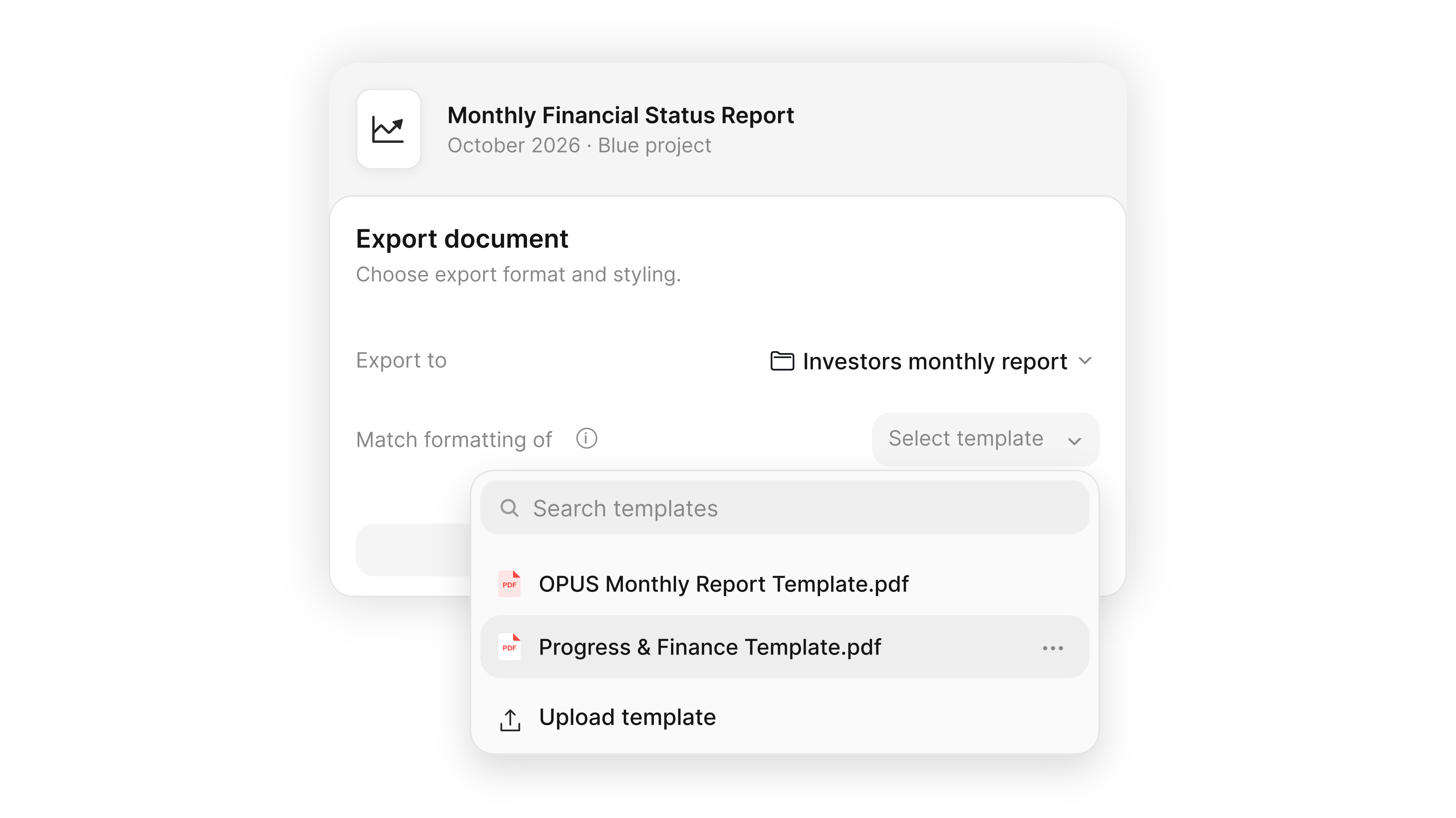
What makes your reports unique shouldn’t disappear when you use the OPUS Agent. From your logo, fonts and layouts to your structure and tone of voice, every detail contributes to making the final document truly yours.
By sharing previous reports with your Agent and refining new drafts directly in Editor, you help the OPUS Agent understand your company’s standards and reporting style. These preferences then become a reference for future deliverables, ensuring that each new document reflects your identity rather than a generic template.
Final step: Review the draft manually and check what needs emphasis
Once the draft is ready, open it in Editor and invite your team and stakeholders. You can edit together in real time and leave comments for others to review, giving you everything you need to turn the draft into the final version. You can also ask the Agent directly to review or edit a specific part of the report to speed up revisions.
To create a remarkable report, the tip we give every OPUS user preparing their first one is to consider how much space each point gets. A minor update can take up a whole paragraph while a decision your investor needs to make is summarized in a single line. Keep the facts unchanged and refine the wording to better serve the report’s purpose. Ask the Agent to help you adjust the emphasis in seconds and turn the draft into a final report. Save these preferences as a Skill to help make every future draft a remarkable report.
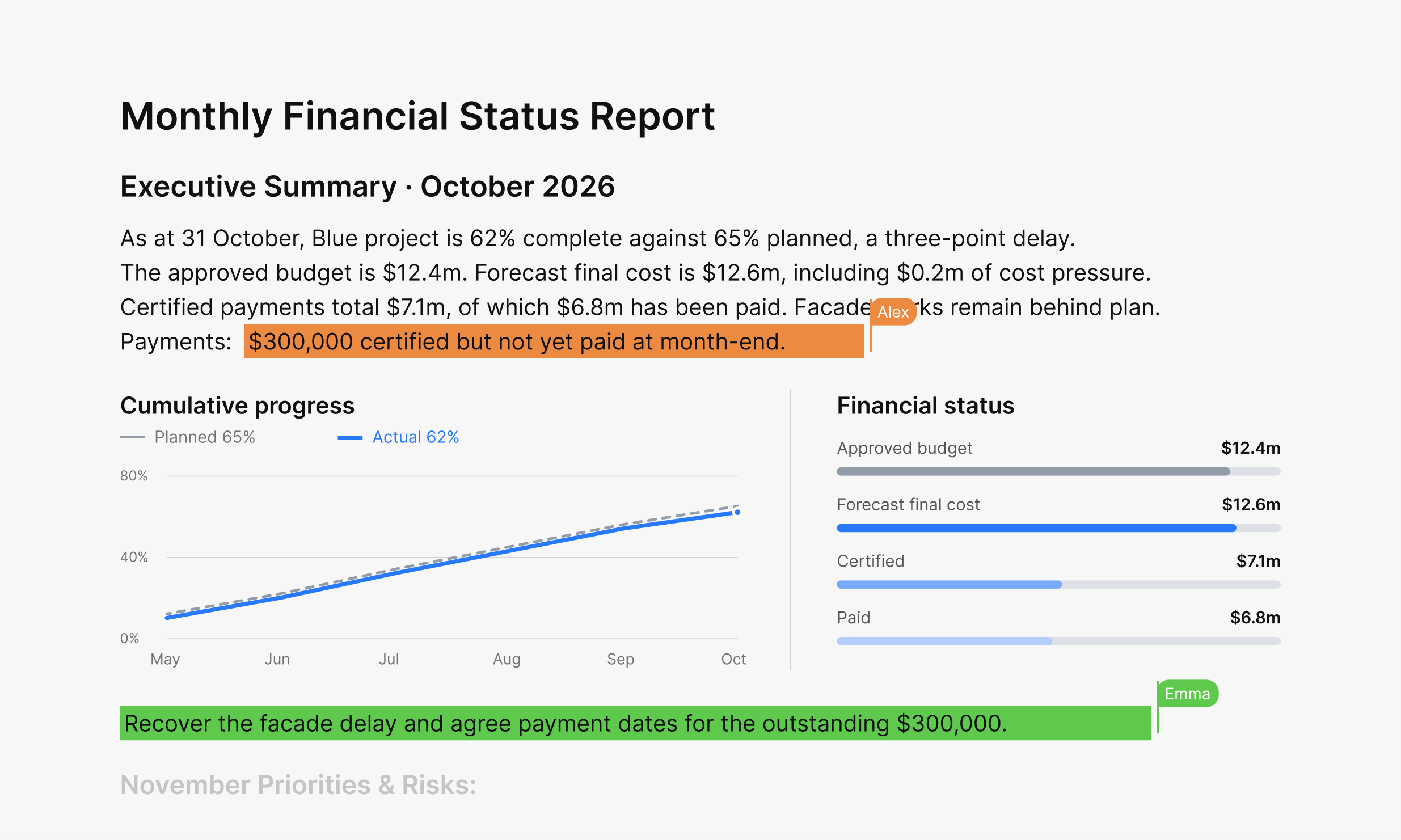
All the data included in the report is sourced by the OPUS Agent. If you have any doubts about a figure or another detail, ask the Agent to explain how it arrived at that information.
Share the final version of the project financial report on OPUS
Once the final version is ready and your team has reviewed it, share the report with your investor through OPUS messaging or Files, making it available to stakeholders when needed. You can also notify them by email and push notification so they don’t miss it.
Automate the next reporting cycle
Once you’re fully satisfied with the report, much of the refinement for the next one is already done. The figures, decisions and details will change, but the preferences you developed for the format, structure and interaction can be saved as a Skill. This carries what made the first report valuable into the next one you create.
To automate the next reporting cycle, set up an OPUS Workflow using the reporting Skill you’ve just created, at the frequency your investor needs and with the process your team wants. If you find yourself making further edits to subsequent reports, update the Skill so those changes can be applied next time.
Once the workflow is set up and reporting is automated, you have more time to focus on the work that calls for your judgment.